Cloud compatibility#
GLOW is designed to support the creation of “stateless” Solution Applications that are compatible with cloud environments.
When a solution is run on the cloud, methods are executed in an isolated environment (another server, and so forth), so all the fields needed for successful execution —both inputs and outputs— must be available within the context of that isolated environment.
The implementation of this isolated environment scheme is optimized to support solutions using Blob Data Management (BDM) Python API. In the context of BDM, the transaction method infrastructure assumes that files and directories are immutable once entity handles referencing them are created ready for assignment to step fields. This means that the infrastructure can optimize the provision of access to those entities depending on the structure of the deployment. When the content of an entity is required by a transaction method the infrastructure can chose to either leave files in place, copy the files or cache files. When BDM is being used the inputs and outputs of transactions as described below do not include files or directories. Instead entity handles, among the inputs and outputs, refer to immutable files or directories.
The @transaction decorator ensures that all inputs are pulled into this isolated execution environment and all outputs are
pushed back to the Solution API Server, as follows:
- Inputs
The inputs used by the method must be declared using the
downloadattribute.The values of these fields can then be accessed in the body of the method.
The inputs are fetched from the project data and placed in the isolated environment.
- Outputs
The outputs generated by the method must be declared using the
uploadattribute.The values of these fields can then be modified in the body of the method.
The outputs are written back to the Solution API Server and persisted in the project directory.
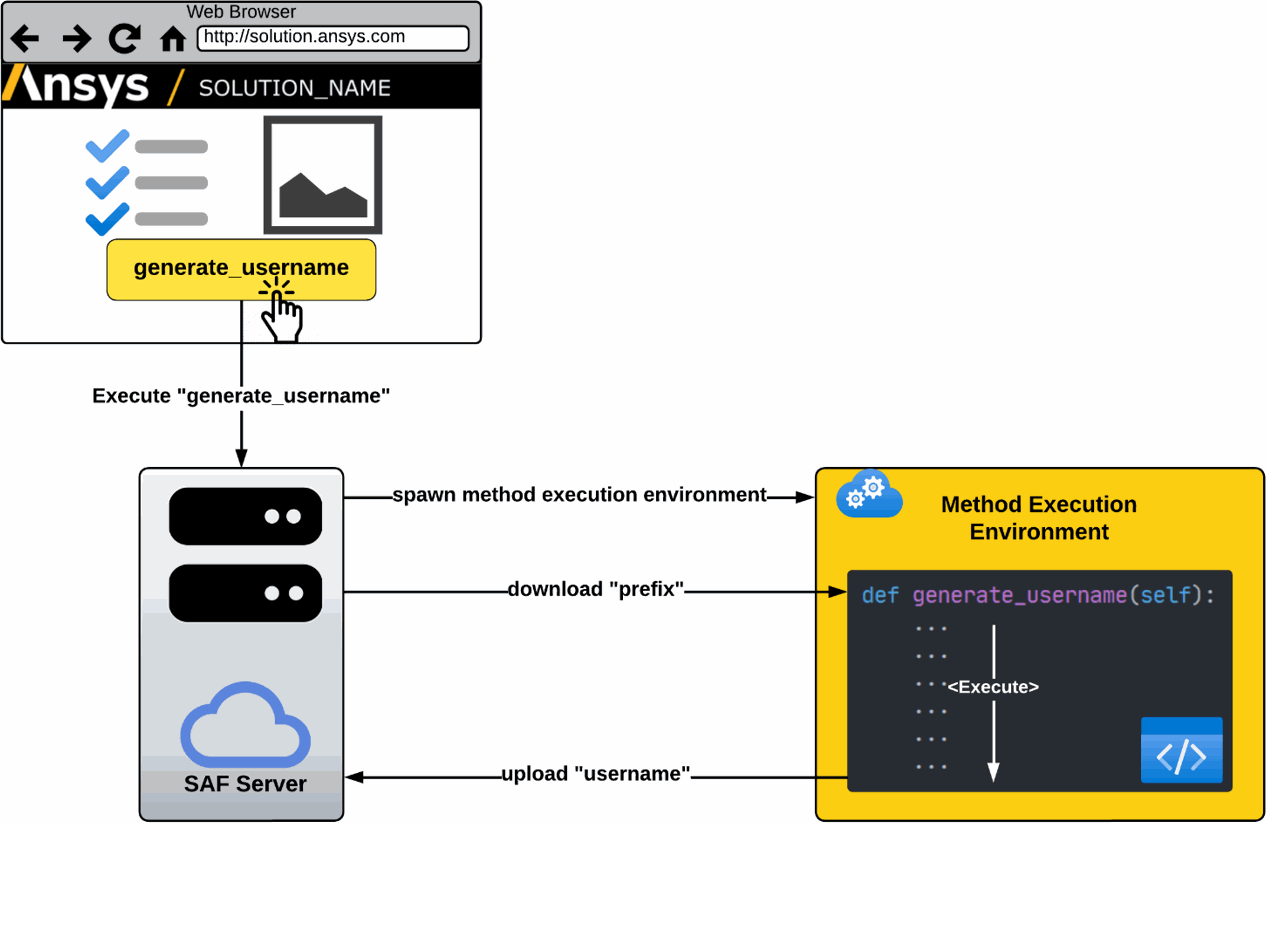
The code sample shows a generate_username transaction method used to generate a random username. The StepSpec specifies that the method performs the following actions:
Download the value of the
prefixfield from the API server.Execute the method to generate a username by appending a random 4-digit number (
random_number) to the value of theprefixfield.Assign a new value to the
usernamefield.Upload the
usernamefield back to the Solution API server to persist/store its value in the project.
The code sample below illustrates how the generate_username transaction method is executed.
minimal\solution\username_step.py#class UsernameStep(StepModel):
prefix: str = "user_"
username: str = ""
@transaction(self=StepSpec(download=["prefix"], upload=["username"]))
def generate_username(self):
"""Generate a random username such as user_1234."""
random_number = random.randint(0, 9999)
self.username = f"{self.prefix}{random_number:04d}"
The diagram below depicts the execution of the generate_username transaction method.